|  |
All users must be registered and logged-in.
Find the building you want to add a drawing for. Use the search form or navigate through the Cities section of the site. On the building's data page will be a link to add a drawing. If the building is not in our database you can use the building requests section of the forum to notify an editor of the building.
|
|
Search for a building by name or address, or location
|
Drawings uploaded to the SkyscraperPage diagrams must be in the following format
• GIF image format (no animations),
• Transparent background or green background (RGB: 000-255-000),
• Resized to a scale of 1 pixel = 1 meter,
• Maximum file size of 150 kilobytes.
The GIF image is used in the diagrams and is the only file made available to the public. In addition to the 1:1 scale GIF, two other files can be uploaded. An original PNG and an other format image.
Example upload form. Only the GIF is required, but the others are recommended.

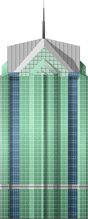
The 1:1 scale GIF image must have a transparent background, while this is optional with the PNG. We use the checkered background to indicate a transparent background
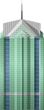
| Boc.gif | Boc.png |
|
|
|
|
After successful upload, drawings must be approved by website staff before they're included into the main diagrams. This usually happens within 24 hours (or by the end of the week if building heights need to be researched). If further research about your drawing is required by the website staff (such as because of a height discrepancy) then it may take up to a week for approval.
Drawings which are awaiting approval can be found on the Drawings Pending Approval page. Drawings which have been approved can be found on the Latest Drawing Additions page.
Drawings which aren't acceptable for approval into the Diagrams get Soft Deleted and remain on the Deleted Drawings page.
|
|
|
|







 Login
Login